Learning to Create Videos with Sora 2 AI: A Beginner’s Journey Beyond the Hype
When I first approached AI video generation tools, I expected instant, Hollywood-quality results from a few typed sentences. Reality proved more nuanced. The gap between what I imagined and what actually happened became my most valuable teacher. If you’re considering Sora 2 AI or similar platforms, understanding this learning curve upfront will save you frustration and help you build realistic workflows from day one.
The Reality of Starting with AI Video Tools
Most beginners arrive at Sora 2 AI video platforms with one of two mindsets: either complete skepticism or unrealistic optimism. Neither serves you well. The truth sits somewhere in the middle—these tools are genuinely capable, but they require intentional experimentation to unlock their potential.
When I first tested text-to-video generation, my prompts were vague. “Create a professional video of a product launch” seemed clear in my head. The AI produced something technically impressive but tonally off—too fast, wrong lighting, misaligned pacing. I’d assumed the AI would interpret my creative intent the way a human director would. It doesn’t work that way.
The learning phase isn’t about the tool failing you. It’s about learning to communicate with a fundamentally different creative partner. Sora 2 AI responds to specificity, visual language, and technical detail in ways that differ from directing a human crew.
Understanding What Sora 2 AI Video Actually Does
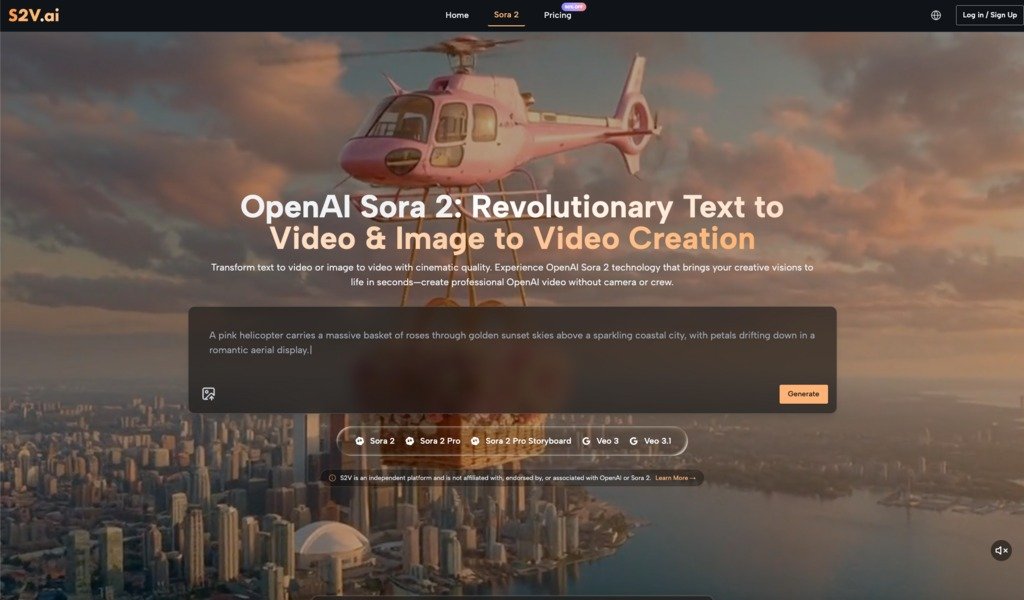
Before diving into workflow adjustments, it helps to clarify what you’re actually working with. Sora 2 AI video generation comes in different tiers—Basic, Pro, and Pro Storyboard—each designed for different creative needs and complexity levels.
- The Basic model prioritizes speed. You describe a scene, and it generates quickly. This is useful for rapid prototyping or social media content where turnaround matters more than cinematic perfection. I use this when testing prompt variations or when I need multiple quick iterations.
- The Pro model shifts the balance toward quality. This is where you start seeing what “cinema-grade” actually means in an AI context. Lighting becomes more sophisticated. Motion feels more natural. Colors hold better. This tier is where most creators spend the majority of their time once they understand the platform.
- Pro Storyboard changes the game entirely by enabling multi-scene narratives. Instead of generating isolated 30-second clips, you can create connected sequences with maintained character consistency and visual continuity. This is the tier that transforms Sora 2 AI from a content tool into a storytelling tool.
Understanding these distinctions prevents a common beginner mistake: expecting Basic-tier speed with Pro-tier quality, then feeling disappointed.
The Prompt Engineering Phase: Trial and Error is Normal
Here’s what surprised me most: writing effective prompts for Sora 2 AI video generation is a skill that develops over time. It’s not intuitive, and that’s okay.
My early prompts read like casual descriptions. “A woman walking through a coffee shop.” The output was technically correct but lifeless. Over time, I learned to layer in visual specificity: camera movement, lighting conditions, emotional tone, color palette, pacing cues.
“A woman in a cream linen blazer walking slowly through a minimalist coffee shop with warm afternoon sunlight streaming through large windows, casting long shadows across concrete floors. Shallow depth of field. Cinematic 24fps feel.”
The difference in output quality was dramatic. Not because the AI suddenly became more capable, but because I’d learned to speak its language.
This phase requires patience. You’ll generate dozens of variations that miss the mark. You’ll discover that certain descriptive phrases consistently produce better results. You’ll learn which visual details the AI prioritizes and which ones it tends to ignore. This isn’t wasted time—it’s your creative education.
Managing Expectations Around Audio Integration
One feature that genuinely distinguishes advanced Sora 2 AI platforms is native audio generation. Some models, particularly Google’s Veo 3 integration, generate videos with synchronized sound effects, ambient audio, and atmospheric elements built in—not added later.
This sounds revolutionary until you actually use it. The audio is competent but not always nuanced. A generated video of rain falling will include rain sounds, but they might not match the visual intensity exactly. Dialogue isn’t generated; only environmental audio is. For many projects, this is a massive time-saver. For others, you’ll still want to layer in custom audio in post-production.
I initially expected to skip audio work entirely. Instead, I found native audio handles the heavy lifting—ambient soundscapes, basic effects—while I focus post-production effort on dialogue, music, and fine-tuning. It’s an efficiency gain, not a complete replacement for audio work.
The Image-to-Video Workflow: When Static Content Needs Motion
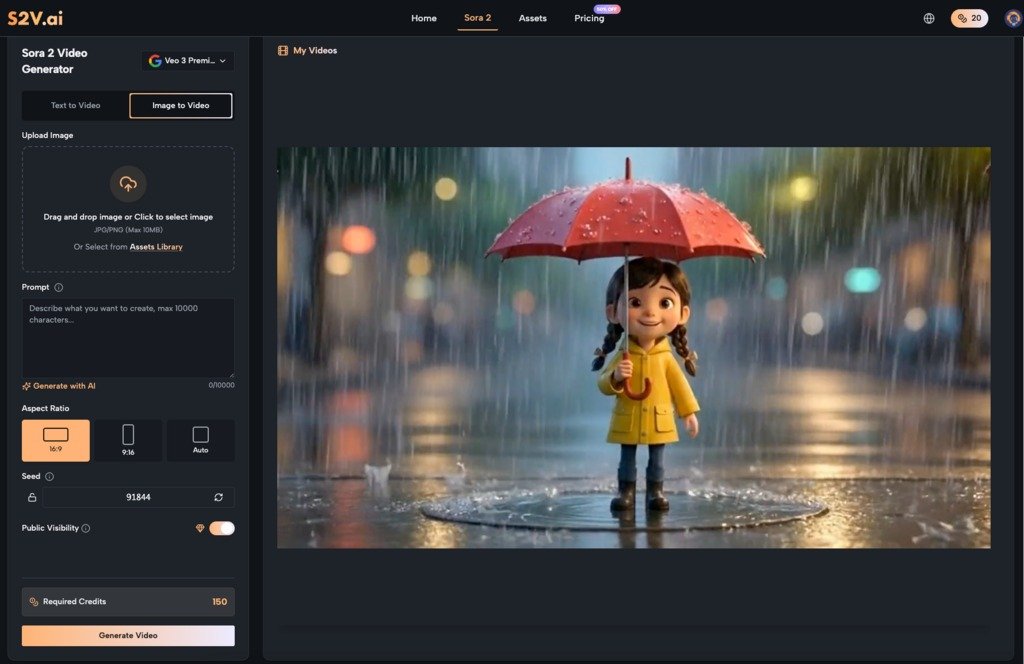
Beyond text-to-video, most Sora 2 AI platforms support image-to-video generation. Upload a photo, describe the motion you want, and the AI animates it. This opens different creative possibilities than starting from text alone.
I’ve used this for product demonstrations, where a static product photo becomes a rotating, well-lit video. I’ve animated lifestyle images into short sequences. The results feel more grounded than pure text generation because the AI has a visual reference point.
The limitation: image-to-video works best when you’re extending or subtly animating existing imagery. If you’re expecting dramatic transformation—turning a still photo into an entirely different scene—you’ll be disappointed. The AI respects the original image structure while adding motion within that framework.
Building Your Personal Workflow: Gradual Optimization
The mistake I see most often is treating AI video generation as a replacement for your entire creative process. It’s not. It’s a component that integrates into a larger workflow.
My current process looks like this:
- Concept phase: Develop the creative idea traditionally. What’s the story? What’s the emotional arc? What’s the purpose?
- Prompt development: Write detailed visual descriptions. Test variations. Generate multiple options.
- Selection and refinement: Choose the strongest generation. Identify what worked and what didn’t.
- Post-production: Color grading, audio layering, pacing adjustments, effects, titles.
- Integration: Combine AI-generated sequences with other footage, graphics, or elements as needed.
This isn’t fundamentally different from traditional video production. The AI handles the heavy lifting of footage generation, but the creative direction and finishing work remain human-driven.
Common Beginner Mistakes to Avoid
- Expecting consistency on the first try. Each generation is unique. You’ll iterate. Embrace this rather than resisting it.
- Underestimating prompt specificity. Vague descriptions produce vague results. Invest time in detailed, visual language.
- Skipping post-production. AI-generated video is a starting point, not a finished product. Color grading, audio work, and pacing refinement matter.
- Choosing the wrong model for your task. Basic for rapid testing, Pro for quality, Pro Storyboard for narratives. Match the tool to the need.
- Assuming you need no video knowledge. Understanding composition, pacing, and visual storytelling makes you dramatically better at directing AI video generation.
Moving Forward with Realistic Expectations
AI video generation tools like Sora 2 AI represent a genuine shift in how creators can work. They’re not magic, and they’re not replacements for creative thinking. They’re powerful collaborators that require you to learn a new language and adjust your expectations.
Start small. Generate test videos. Experiment with different prompts and models. Integrate the results into your actual workflow, not just your experiments. Over time, you’ll develop an intuitive sense for what works, and the tool will become genuinely valuable rather than just impressive.
The creators who succeed with these tools aren’t the ones expecting instant perfection. They’re the ones willing to iterate, learn from results, and gradually build systems that work for their specific needs. That’s not a limitation of the technology—it’s how creative growth actually happens.
READ ALSO: Efficient Fleet Control Using Cloud-Based Management Software